Menu


Start Free $129 Lifetime
Why is it the #1 bulk uploader?
- Insanely fast!
- Maintains folder structure.
- 100% automated upload.
- Supports RAW files.
- Privacy default.
How can you get started?
Download PicBackMan and start free, then upgrade to annual or lifetime plan as per your needs. Join 100,000+ users who trust PicBackMan for keeping their precious memories safe in multiple online accounts.
Trusted by users in 125+ countries.
“Your pictures are scattered. PicBackMan helps you bring order to your digital memories.”

8 Best Cloud Torrent Service Providers

Looking for a way to download torrents without using your computer's resources? Cloud torrent services might be the perfect solution for you. These platforms allow you to download torrents directly to their servers and then transfer the files to your device or cloud storage, all while keeping your identity protected.
In this comprehensive guide, I'll walk you through the 8 best cloud torrent service providers available today. I'll cover their features, pricing, pros and cons, and help you decide which one fits your needs best.
What Are Cloud Torrent Services?
Cloud torrent services act as intermediaries in the torrent downloading process. Instead of using your device and internet connection to download torrents, these services handle the entire process on their remote servers.
Here's how they typically work:
- You provide the torrent file or magnet link to the cloud service
- The service downloads the file to their servers
- Once complete, you can download the file directly or save it to connected cloud storage
This approach offers several benefits: faster download speeds, no resource consumption on your device, and an extra layer of privacy since your IP address isn't directly connected to the torrent swarm.
Top 8 Cloud Torrent Service Providers
1. Seedr
Seedr stands out as one of the most popular cloud torrent services, offering a blend of reliability, speed, and user-friendly features.
Key Features:
- Free tier with 2GB storage
- Streaming capability for media files
- Direct download links for completed torrents
- No ads or popups
- Multiple premium plans with increased storage
Pricing:
- Free: 2GB storage
- Basic: $9.95/month for 30GB storage
- Pro: $19.95/month for 100GB storage
- Premium: Custom pricing for larger storage needs
Pros:
- Clean, intuitive interface
- Excellent streaming quality
- Fast download speeds
- Good customer support
Cons:
- Limited storage on the free tier
- Can be pricey for higher storage needs
2. Zbigz
Zbigz is a veteran in the cloud torrent space, having been around for many years with a solid reputation for reliability.
Key Features:
- Free tier available (limited to 1 torrent at a time)
- Premium accounts with unlimited bandwidth
- Direct streaming for media files
- File conversion capabilities
Pricing:
- Free: Basic features with speed limitations
- Premium: Starting at $9.95/month
Pros:
- Long-standing reliable service
- Good download speeds for premium users
- Simple interface
Cons:
- Free tier has significant limitations
- Interface feels dated compared to newer services
3. Offcloud
Offcloud goes beyond just torrent downloading, offering a comprehensive solution for various download needs including direct links, Usenet, and more.
Key Features:
- Cloud storage integration (Google Drive, Dropbox, etc.)
- Support for direct links, torrents, and Usenet
- Remote upload feature
- Proxy service for anonymous browsing
Pricing:
- Free: 3 links with limited features
- Basic: $9.99/month for unlimited connections but no cloud storage
- Premium: $19.99/month for unlimited connections and 100GB cloud storage
Pros:
- Versatile platform for various download types
- Strong privacy features
- Good cloud storage integration
Cons:
- More expensive than some competitors
- Interface can be complex for beginners
4. Bitport.io
Bitport.io offers a clean, straightforward approach to cloud torrenting with a focus on security and ease of use.
Key Features:
- Virus scanning for all downloads
- Media streaming capability
- Mobile-friendly interface
- HTTPS downloads for security
Pricing:
- Free: 1GB storage, 1 torrent per day
- Basic: $5/month for 30GB, 3 torrents per day
- Standard: $15/month for 100GB, unlimited torrents
- Premium: $25/month for 250GB, unlimited torrents
Pros:
- Strong security focus with virus scanning
- Competitive pricing
- User-friendly interface
Cons:
- Storage limits might be restrictive for heavy users
- Daily torrent limits on lower levels
5. Premiumize.me
Premiumize.me positions itself as an all-in-one service, going beyond just cloud torrenting to offer a comprehensive suite of tools.
Key Features:
- Multi-host premium link generation
- VPN service included
- Usenet access with SSL encryption
- Cloud storage with streaming capability
- No speed or bandwidth limitations
Pricing:
- Premium: €9.99/month or €69.99/year
- Fair use policy rather than strict storage limits
Pros:
- Comprehensive service beyond just torrenting
- Included VPN adds extra security
- Fair use policy instead of strict storage limits
Cons:
- No free tier available
- Higher learning curve due to numerous features
6. Put.io
Put.io has built a reputation as a reliable, high-speed cloud torrent service with excellent media handling capabilities.
Key Features:
- Fast download servers
- Built-in media player
- RSS feed monitoring
- API access for developers
- Mobile apps for iOS and Android
Pricing:
- 0GB: Free trial (limited time)
- 10GB: $4.99/month
- 100GB: $9.99/month
- 1TB: $19.99/month
- 10TB: $49.99/month
Pros:
- Excellent media organization and playback
- Very fast download speeds
- Good API for automation
Cons:
- No permanent free tier
- Focus on media can make it less suitable for other file types
7. Real-Debrid
Real-Debrid is popular among streaming enthusiasts and offers excellent value for those looking for a multi-purpose downloading solution.
Key Features:
- Support for numerous file hosting services
- Torrent and magnet link support
- Unrestricted downloading
- Integration with popular streaming apps
Pricing:
- 15 days: €3
- 90 days: €9
- 180 days: €16
Pros:
- Very affordable compared to competitors
- Wide compatibility with streaming applications
- Strong file hosting support
Cons:
- Interface is not as polished as some alternatives
- Limited customer support
8. TransferCloud.io
TransferCloud.io is a newer entry in the cloud torrent market that focuses on simplicity and direct cloud storage integration.
Key Features:
- Direct transfer to cloud storage services
- Support for Google Drive, Dropbox, OneDrive, etc.
- Browser extensions available
- Telegram bot integration
Pricing:
- Starter: $4.99/month for 2 concurrent transfers
- Pro: $9.99/month for 5 concurrent transfers
- Premium: $14.99/month for 10 concurrent transfers
Pros:
- Excellent cloud storage integration
- Simple, straightforward interface
- Innovative features like Telegram bot support
Cons:
- No free tier
- Limited by concurrent transfers rather than storage
Comparison of Cloud Torrent Services
| Service | Free Tier | Starting Price | Max Storage | Streaming | Cloud Integration |
|---|---|---|---|---|---|
| Seedr | Yes (2GB) | $9.95/month | Custom | Yes | Limited |
| Zbigz | Yes (Limited) | $9.95/month | Not specified | Yes | No |
| Offcloud | Yes (3 links) | $9.99/month | 100GB | Yes | Yes |
| Bitport.io | Yes (1GB) | $5/month | 250GB | Yes | No |
| Premiumize.me | No | €9.99/month | Fair use | Yes | Yes |
| Put.io | Trial only | $4.99/month | 10TB | Yes | Limited |
| Real-Debrid | No | €3/15 days | Not specified | Yes | No |
| TransferCloud.io | No | $4.99/month | Based on cloud | No | Yes |
How to Choose the Right Cloud Torrent Service
Selecting the ideal cloud torrent service depends on your specific needs and priorities. Here are some factors to consider:
Storage Capacity
If you're planning to download large files or numerous torrents, prioritize services that offer generous storage limits. Seedr and Put.io provide tied storage options, while Premiumize.me operates on a fair use policy that might be better for heavy users.
Pricing Structure
Consider your budget and how often you'll use the service. Some services like Real-Debrid offer shorter subscription periods that might be more economical if you only need cloud torrenting occasionally. Others like Bitport.io offer more affordable entry-level plans for casual users.
Speed and Reliability
Download speed can vary significantly between services. Put.io and Seedr are known for their fast servers, while free tiers often come with speed limitations. If speed is crucial, opt for a premium service with a solid reputation for performance.
Privacy and Security
If privacy is your main concern, look for services that emphasize security features. Bitport.io offers virus scanning, while Premiumize.me includes a VPN service. Also, check the service's logging policy and jurisdiction.
Additional Features
Some services offer valuable extras that might sway your decision:
- Media streaming capabilities (Seedr, Put.io)
- Cloud storage integration (Offcloud, TransferCloud.io)
- Multi-host support (Real-Debrid, Premiumize.me)
- Mobile apps (Put.io)
Free Tier Availability
If you're just testing the waters, services with free tiers like Seedr, Zbigz, and Bitport.io allow you to try cloud torrenting without financial commitment. However, be prepared for limitations in speed, storage, and features.
Benefits of Using Cloud Torrent Services
Enhanced Privacy
One of the biggest advantages of cloud torrent services is the privacy they offer. When you download torrents directly, your IP address is visible to others in the swarm. Cloud services act as a buffer, downloading files on your behalf and keeping your identity protected.
Faster Download Speeds
Cloud torrent servers typically have high-bandwidth connections that can download files much faster than most home internet connections. This means you get your files faster, especially for torrents with few seeders.
No Resource Consumption
Traditional torrent downloads can bog down your device and internet connection. Cloud services handle all the heavy lifting on their servers, allowing you to use your computer and internet connection normally while files download in the background.
Access Anywhere
Since your files are stored in the cloud, you can access them from any device with an internet connection. This flexibility means you can start a download at home and access the completed file from your phone or work computer.
Bypass ISP Throttling
Some internet service providers throttle torrent traffic, slowing down your downloads. Cloud torrent services bypass this issue since the actual torrent downloading happens on their servers, not through your ISP.
Streaming Capabilities
Many cloud torrent services allow you to stream media files directly from their servers without downloading them first. This is particularly useful for video content, allowing you to start watching almost immediately.
Potential Drawbacks to Consider
Cost
While free tiers exist, they often come with significant limitations. For a truly useful experience, you'll likely need to pay for a subscription, which adds an ongoing cost to your torrent activities.
Storage Limitations
Most services impose storage limits, requiring you to delete files to make room for new ones. This can be inconvenient if you want to maintain a large collection of downloaded files.
Service Reliability
You're dependent on the service's uptime and reliability. If the service goes down or, worse, shuts down permanently, you could lose access to your downloads.
Legal Considerations
While cloud torrent services add a layer of privacy, they don't change the legal status of the content you're downloading. Always ensure you're downloading legal content and be aware of copyright laws in your jurisdiction.
File Retention Policies
Some services automatically delete files after a certain period of inactivity. Be sure to check the retention policy if you plan to store files long-term.
Tips for Using Cloud Torrent Services Effectively
Use RSS Feeds for Automation
Many cloud torrent services support RSS feed monitoring. Set up feeds for your favorite content, and the service will automatically download new items as they become available.
Connect to Cloud Storage
If your service offers integration with Google Drive, Dropbox, or other cloud storage platforms, use this feature to automatically transfer completed downloads. This gives you an extra backup and can help manage storage limitations.
Check for Browser Extensions
Several services offer browser extensions that make adding torrents as simple as clicking a button when you find a magnet link or torrent file online.
Use Mobile Apps
If you're often on the go, prioritize services with good mobile apps. This allows you to manage downloads and access files from your smartphone or tablet.
Be Mindful of Bandwidth Caps
When downloading files from the cloud service to your device, remember that this counts towards your internet data cap if you have one. Large files can quickly eat into limited data plans.
Conclusion
Cloud torrent services offer a convenient, secure, and efficient alternative to traditional torrent downloading. Whether you're looking for enhanced privacy, faster downloads, or the ability to access your files from anywhere, there's likely a service that fits your needs.
From the comprehensive features of Premiumize.me to the user-friendly approach of Seedr, or the budget-friendly options like Real-Debrid, the market offers plenty of choices. Consider your specific requirements regarding storage, speed, privacy, and additional features when making your selection.
Remember that while these services add convenience and privacy to your torrent activities, they don't change the legal aspects of downloading copyrighted content without permission. Always use these services responsibly and in accordance with your local laws.
With the right cloud torrent service, you can enjoy a smoother, faster, and more private downloading experience without the traditional drawbacks of peer-to-peer file sharing.
Quick Tip to ensure your videos never go missing
Videos are precious memories and all of us never want to lose them to hard disk crashes or missing drives. PicBackMan is the easiest and simplest way to keep your videos safely backed up in one or more online accounts.
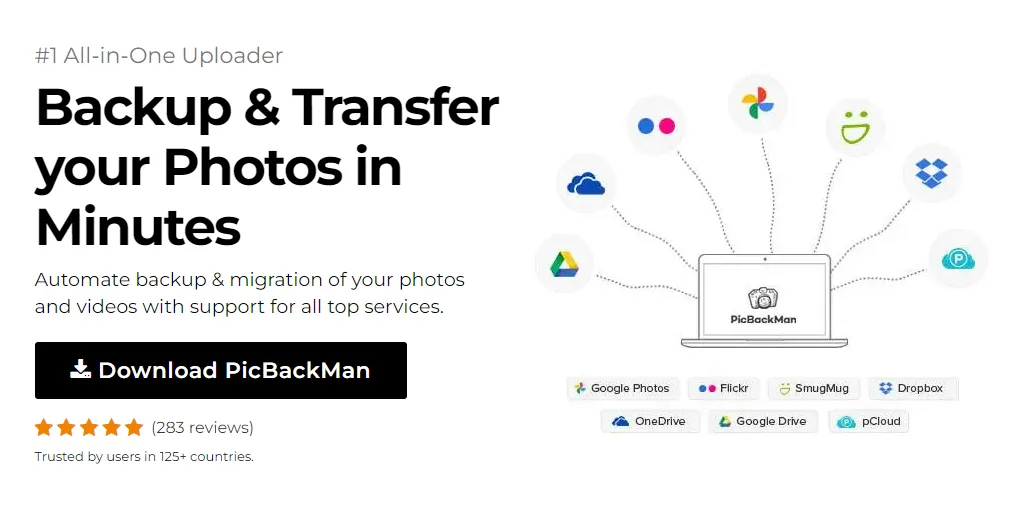
Simply download PicBackMan (it's free!) , register your account, connect to your online store and tell PicBackMan where your videos are - PicBackMan does the rest, automatically. It bulk uploads all videos and keeps looking for new ones and uploads those too. You don't have to ever touch it.
Frequently Asked Questions
Are cloud torrent services legal?
Yes, cloud torrent services themselves are legal. However, the legality depends on what content you're downloading. Using these services to download copyrighted material without permission is still illegal in most jurisdictions. Always ensure you're downloading legal content like open-source software, public domain works, or content you have permission to access.
Do I need a VPN with cloud torrent services?
One of the main benefits of cloud torrent services is that they already provide a layer of privacy since your IP address isn't directly connected to the torrent swarm. However, if you're particularly concerned about privacy, using a VPN adds an extra layer of protection, especially when accessing the cloud service itself or downloading files from it to your device.
What happens if I exceed my storage limit?
This varies by service. Some will prevent you from adding new torrents until you free up space, while others might automatically delete your oldest files. Some services offer temporary overflow storage or the option to purchase additional space. Check your chosen service's policy to understand how they handle storage limits.
Can I use cloud torrent services on mobile devices?
Yes, most cloud torrent services are accessible through mobile browsers, and many offer dedicated apps for iOS and Android. This makes it easy to manage your downloads and access your files on the go. Services like Put.io and Seedr have particularly good mobile experiences.
What's the difference between cloud torrent services and regular cloud storage?
Regular cloud storage services (like Google Drive or Dropbox) provide space to store your files but don't typically offer torrent downloading capabilities. Cloud torrent services specifically focus on downloading torrents to their servers and then making those files available to you. Some cloud torrent services also integrate with regular cloud storage, allowing you to automatically transfer downloaded files to your preferred storage platform.
























