
Menu


Start Free $129 Lifetime
Why is it the #1 bulk uploader?
- Insanely fast!
- Maintains folder structure.
- 100% automated upload.
- Supports RAW files.
- Privacy default.
How can you get started?
Download PicBackMan and start free, then upgrade to annual or lifetime plan as per your needs. Join 100,000+ users who trust PicBackMan for keeping their precious memories safe in multiple online accounts.
Trusted by users in 125+ countries.
“Your pictures are scattered. PicBackMan helps you bring order to your digital memories.”

The Best Way to Download Twitter GIFs and Videos - Full Guide

Have you ever scrolled through Twitter and found a hilarious GIF or an informative video that you wanted to save? Twitter is packed with amazing content, but the platform doesn't offer a straightforward way to download videos or GIFs. Don't worry - I've got you covered with this complete guide on how to download Twitter media easily and quickly.
In this article, I'll walk you through several reliable methods to save Twitter videos and GIFs to your device. Whether you're using a smartphone or computer, these solutions work across different platforms and require minimal technical knowledge.
Why You Might Want to Download Twitter Videos and GIFs
Before diving into the methods, let's quickly look at some reasons why you might want to save Twitter media:
- Sharing content with friends who don't use Twitter
- Creating a collection of favorite memes or reactions
- Saving educational content for offline viewing
- Keeping a record of important news clips or announcements
- Using content for your own projects (with proper attribution)
Method 1: Using Online Twitter Video Downloaders
Online downloaders are perhaps the quickest and easiest way to save Twitter videos and GIFs. These web-based tools don't require installation and work on any device with a browser.
How to Use Twitter Video Downloaders Online
Follow these simple steps to download Twitter videos using online tools:
- Find the Twitter video or GIF you want to download
- Click on the share button below the post
- Select "Copy link to Tweet"
- Visit one of the recommended downloader websites
- Paste the copied URL in the provided field
- Click the download button
- Choose your preferred quality (if available)
- Save the file to your device
Top Online Twitter Video Downloaders
Here are some reliable online services that work well for downloading Twitter videos and GIFs:
| Downloader | Special Features | Supports GIFs | Supports Videos |
|---|---|---|---|
| TwitterVideoDownloader.com | Multiple quality options, no watermarks | Yes | Yes |
| SaveTweetVid.com | Fast processing, clean interface | Yes | Yes |
| DownloadTwitterVideo.com | MP3 audio extraction option | Yes | Yes |
| TWDown.net | No ads, simple interface | Yes | Yes |
| SSSTik.io | Works for multiple platforms including Twitter | Yes | Yes |
Method 2: Browser Extensions for Twitter Media Downloads
If you frequently save Twitter content, browser extensions offer a more streamlined experience without having to copy-paste links to external websites.
How to Use Browser Extensions
- Install a Twitter video downloader extension on your browser
- Navigate to the Twitter post containing the video or GIF
- Look for the download button added by the extension (usually appears near the video)
- Click the button and select your preferred quality
- The file will automatically download to your default download folder
Recommended Browser Extensions
- Video Downloader PLUS - Works on Chrome, Firefox, and Edge
- Twitter Video Downloader - Simple one-click download for Chrome
- Tweak for Twitter - Adds various features including media downloads
- Video DownloadHelper - Versatile extension that works across many sites
Method 3: Mobile Apps for Downloading Twitter Media
If you primarily use Twitter on your smartphone, dedicated apps make the download process even simpler.
For Android Users
Android offers several apps that can download Twitter videos directly to your device:
- Download Twitter Videos - Simple interface with quick downloads
- Tweet to Video - Allows batch downloading
- Video Downloader for Twitter - Includes a built-in browser
How to Use Android Apps
- Install your preferred Twitter video downloader app
- Open Twitter and find the video you want to save
- Tap the share button on the tweet
- Select "Share via" and choose your downloader app
- The app will process the video and save it to your gallery
For iPhone Users
Due to iOS restrictions, downloading Twitter videos on iPhone requires a slightly different approach:
- Documents by Readdle - Multi-purpose file manager with download capabilities
- Media Mutt - Specialized for social media downloads
- MyMedia - File manager with browser and download features
How to Download Twitter Videos on iPhone
- Install an app like Documents by Readdle
- In Twitter, copy the link to the tweet with the video
- Open the Documents app and use its built-in browser
- Visit a Twitter video downloader website
- Paste your link and download the video
- Save the file to your camera roll
Method 4: Using Command Line Tools (For Advanced Users)
If you're comfortable with the command line, there are powerful tools that offer batch downloading and automation options.
YouTube-DL for Twitter
YouTube-DL is a versatile command-line program that works with many sites, including Twitter.
Installation and Basic Usage
- Install Python from python.org if you don't have it
- Open your command prompt or terminal
- Install youtube-dl:
pip install youtube-dl - To download a Twitter video:
youtube-dl https://twitter.com/username/status/tweetid
Gallery-DL Alternative
Gallery-DL is another command-line tool specifically designed for downloading images and videos from social media.
Basic Gallery-DL Commands
- Install Gallery-DL:
pip install gallery-dl - Download from a tweet:
gallery-dl https://twitter.com/username/status/tweetid - Download all media from a user:
gallery-dl https://twitter.com/username
Method 5: Converting Twitter GIFs to Video Format
Twitter actually stores GIFs as MP4 videos to save bandwidth. This makes downloading them similar to downloading videos, but you might want to convert them back to GIF format.
How to Convert Twitter MP4s Back to GIFs
- Download the Twitter "GIF" using any of the methods above (it will be an MP4 file)
- Visit an online converter like EZGIF.com or Convertio
- Upload your MP4 file
- Adjust settings like frame rate and quality
- Convert and download the true GIF file
Quick Tip to ensure your videos never go missing
Videos are precious memories and all of us never want to lose them to hard disk crashes or missing drives. PicBackMan is the easiest and simplest way to keep your videos safely backed up in one or more online accounts.
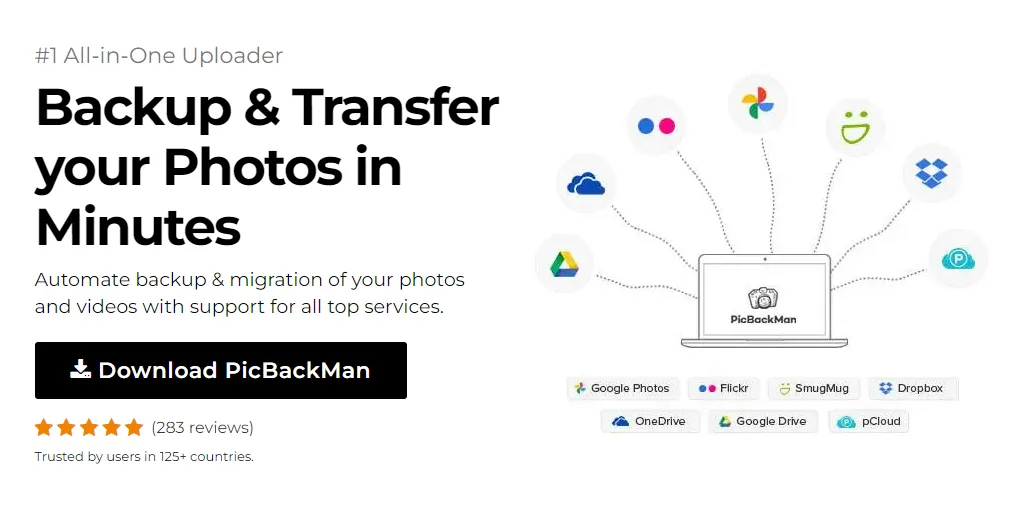
Simply download PicBackMan (it's free!) , register your account, connect to your online store and tell PicBackMan where your videos are - PicBackMan does the rest, automatically. It bulk uploads all videos and keeps looking for new ones and uploads those too. You don't have to ever touch it.
Dealing with Protected or Private Tweets
It's important to note that content from protected accounts can't be downloaded using these methods. This is a privacy feature of Twitter that prevents unauthorized access to protected content.
What about deleted content?
Once a tweet is deleted, the media associated with it is typically removed from Twitter's servers. If you want to preserve important content, it's best to download it when you first see it.
Legal and Ethical Considerations
While downloading Twitter videos for personal use is generally acceptable, there are important legal and ethical factors to keep in mind:
Copyright and Attribution
- Always credit the original creator if you share downloaded content
- Don't claim others' work as your own
- Be especially careful with verified accounts and professional content creators
Twitter's Terms of Service
Twitter's Terms of Service don't explicitly prohibit downloading videos for personal use, but they do protect users' rights to their content. Commercial use of downloaded content without permission could violate these terms.
Troubleshooting Common Issues
Sometimes you might encounter problems when trying to download Twitter media. Here are solutions to common issues:
Video Won't Download
- Make sure the tweet is public, not from a private account
- Try copying the link again - sometimes the URL gets cut off
- Try a different downloader service or app
- Check your internet connection
Poor Video Quality
- Look for quality options in the downloader
- Some videos are only available in lower quality
- Try a different downloader that might offer better quality options
App or Extension Not Working
- Check for updates to the app or extension
- Clear your browser cache and cookies
- Reinstall the app or extension
- Try an alternative solution
Tips for Managing Your Downloaded Twitter Media
Once you start downloading Twitter content, you might want to organize it efficiently:
Organization Ideas
- Create folders by content type (memes, news, tutorials)
- Use descriptive filenames that include the creator's username
- Consider using a media management app to tag and categorize content
- Regularly back up your collection to cloud storage
Sharing Downloaded Content
If you're sharing downloaded content elsewhere:
- Always include a link to the original tweet
- Mention the creator's Twitter handle
- Don't remove watermarks or credits
- Consider asking permission for widespread sharing
Alternatives to Downloading
Sometimes you don't need to download the actual file. Here are some alternatives:
Bookmarking Tweets
Twitter's bookmark feature lets you save tweets for later viewing without downloading them. This is perfect for content you want to reference but don't need offline.
Screen Recording
Most smartphones and computers have built-in screen recording features. This can be a quick alternative if other methods aren't working.
Conclusion
Downloading Twitter GIFs and videos doesn't have to be complicated. Whether you prefer online tools, browser extensions, mobile apps, or command-line solutions, there's a method that will work for your needs and technical comfort level.
Remember to respect creators' rights by giving proper attribution when sharing downloaded content, and be mindful of copyright considerations. With the tools and methods outlined in this guide, you'll never have to worry about losing track of that perfect reaction GIF or important video again.
The digital landscape is always changing, so some of these tools might update their interfaces or features over time. If you encounter any issues, try an alternative method from this guide or search for newer tools that might have emerged.
Frequently Asked Questions
1. Is it legal to download videos from Twitter?
Downloading Twitter videos for personal use is generally acceptable. However, redistributing content without permission, especially for commercial purposes, may violate copyright laws. Always give credit to the original creator if you share the content.
2. Why can't I download videos from private Twitter accounts?
Private accounts have restricted access settings that prevent their content from being viewed or downloaded by non-followers. This is a privacy feature built into Twitter's platform to protect users who choose not to share content publicly.
3. What's the highest quality I can download Twitter videos in?
Twitter typically offers videos in multiple qualities up to 720p. Some downloaders can access the highest quality version available, but you can't download in higher quality than what Twitter provides. The original quality depends on how the video was uploaded.
4. Do Twitter GIF downloaders work for all animated content on Twitter?
Yes, most Twitter downloaders work for both GIFs and videos because Twitter actually converts all GIFs to MP4 video format when they're uploaded. What appears as a GIF on Twitter is technically a looping video file.
5. Will Twitter know if I download their videos or GIFs?
No, Twitter doesn't track when you download videos using third-party tools. These downloaders access the publicly available video files without notifying Twitter or the content creator. However, this doesn't change your responsibility to use the content ethically.
























