Menu


Start Free $129 Lifetime
Why is it the #1 bulk uploader?
- Insanely fast!
- Maintains folder structure.
- 100% automated upload.
- Supports RAW files.
- Privacy default.
How can you get started?
Download PicBackMan and start free, then upgrade to annual or lifetime plan as per your needs. Join 100,000+ users who trust PicBackMan for keeping their precious memories safe in multiple online accounts.
Trusted by users in 125+ countries.
“Your pictures are scattered. PicBackMan helps you bring order to your digital memories.”

What is the Best iCloud Alternative - 3 Top Choices

Looking for an iCloud alternative? You're not alone. While Apple's cloud storage solution works well within their ecosystem, many users find themselves searching for options with better pricing, more features, or improved cross-platform support.
I've tested dozens of cloud storage services to find the best iCloud alternatives that offer reliable backup, seamless file sharing, and strong security. In this guide, I'll walk you through the top three choices that stand out from the crowd.
Why Consider an iCloud Alternative?
Before diving into the alternatives, let's quickly review why you might want to look beyond iCloud:
- Limited free storage (only 5GB)
- Higher pricing compared to competitors
- Restricted cross-platform functionality
- Limited collaboration features
- Privacy concerns with Apple's data handling
If any of these issues resonate with you, it's time to explore other options. Let's look at the three best alternatives that address these limitations.
1. Google Drive - Best Overall iCloud Alternative
Google Drive stands as the most comprehensive iCloud alternative, offering an impressive blend of storage capacity, collaboration tools, and cross-platform accessibility.
Key Features of Google Drive
- 15GB of free storage (shared across Google services)
- Seamless integration with Google Docs, Sheets, and Slides
- Powerful search capabilities to find files quickly
- Real-time collaboration with multiple users
- Available on iOS, Android, Windows, and Mac
- Offline access to important files
- Google Photos integration for media backup
Google Drive Pricing
- Free: 15GB (shared with Gmail and Google Photos)
- Google One 100GB: $1.99/month or $19.99/year
- Google One 200GB: $2.99/month or $29.99/year
- Google One 2TB: $9.99/month or $99.99/year
- Google One 5TB: $24.99/month
- Google One 10TB: $49.99/month
How to Migrate from iCloud to Google Drive
- Download and install Google Drive on your device
- Sign in with your Google account (or create one)
- Download your iCloud files to your local device
- Upload the files to Google Drive
- Organize your files in Drive's folder structure
Pros of Google Drive
- Three times more free storage than iCloud
- Excellent collaboration tools
- Superior search functionality
- Works well across all major platforms
- Generous family sharing options
Cons of Google Drive
- Privacy concerns with Google's data collection practices
- Can be overwhelming for users who need simple storage
- File organization can get messy without proper management
- Not as deeply integrated with iOS as iCloud
2. Dropbox - Best for Simplicity and Reliability
Dropbox pioneered the personal cloud storage space and remains a top contender with its straightforward approach and rock-solid reliability.
Key Features of Dropbox
- Simple, intuitive interface
- Reliable sync across all devices
- Dropbox Paper for document collaboration
- Excellent version history and file recovery
- Strong third-party app integration
- Selective sync to save space on local devices
- Password-protected sharing links
Dropbox Pricing
- Basic (Free): 2GB storage
- Plus: $11.99/month for 2TB
- Family: $19.99/month for 2TB (up to 6 users)
- Professional: $19.99/month for 3TB
- Business plans starting at $15/user/month
How to Migrate from iCloud to Dropbox
- Create a Dropbox account or sign in to your existing one
- Install the Dropbox app on your devices
- Download files from iCloud to your computer
- Drag and drop files into your Dropbox folder
- Wait for files to sync to the cloud
Pros of Dropbox
- Extremely reliable syncing
- Clean, minimal interface
- Excellent sharing capabilities
- Strong version history
- Works identically across all platforms
Cons of Dropbox
- Limited free storage (only 2GB)
- More expensive than some competitors
- Fewer integrated productivity tools than Google Drive
- Basic search capabilities
3. Microsoft OneDrive - Best for Windows Users and Office Integration
Microsoft OneDrive shines for Windows users and anyone who relies on Microsoft Office applications. Its deep integration with Windows and Office makes it a natural choice for many.
Key Features of OneDrive
- Seamless integration with Windows
- Real-time co-authoring in Office apps
- Personal Vault for extra security
- Automatic photo backup
- Built-in photo editor
- File on-demand feature to save local space
- Microsoft 365 integration
OneDrive Pricing
- Basic (Free): 5GB storage
- OneDrive Standalone: $1.99/month for 100GB
- Microsoft 365 Personal: $6.99/month for 1TB + Office apps
- Microsoft 365 Family: $9.99/month for 6TB (1TB per user) + Office apps
How to Migrate from iCloud to OneDrive
- Create a Microsoft account or sign in to your existing one
- Download and install the OneDrive app
- Download your files from iCloud to your device
- Move files to your OneDrive folder
- Set up automatic backup for photos and important folders
Pros of OneDrive
- Excellent value when bundled with Microsoft 365
- Deep Windows and Office integration
- Good security features including Personal Vault
- Family plans offer 1TB per user
- Clean web interface
Cons of OneDrive
- Not as intuitive on macOS or iOS
- Sync reliability issues occasionally
- Free tier offers same limited storage as iCloud (5GB)
- Photo management is not as robust as Google Photos
Comparing the Top iCloud Alternatives
| Feature | Google Drive | Dropbox | OneDrive | iCloud |
|---|---|---|---|---|
| Free Storage | 15GB | 2GB | 5GB | 5GB |
| 2TB Plan Cost | $9.99/month | $11.99/month | N/A (max 1TB per user) | $9.99/month |
| Family Sharing | Yes (Google One) | Yes (Family plan) | Yes (Microsoft 365 Family) | Yes (iCloud+) |
| Cross-Platform | Excellent | Excellent | Good | Limited |
| Collaboration | Excellent | Good | Excellent | Basic |
| File Versioning | 30 days | 30-180 days | 30 days | 30 days |
| Office Integration | Google Workspace | Limited | Microsoft 365 | iWork |
How to Choose the Right iCloud Alternative for You
Selecting the best iCloud alternative depends on your specific needs. Here's a quick guide to help you decide:
Choose Google Drive if:
- You want the most free storage (15GB)
- You already use Google services like Gmail and Google Photos
- Collaboration features are important to you
- You need strong cross-platform support
- You value integrated productivity tools
Choose Dropbox if:
- Reliability and simplicity are your top priorities
- You frequently share files with others
- You need robust version history
- You want a service that "just works" across all platforms
- You don't mind paying a premium for quality service
Choose OneDrive if:
- You're a Windows user
- You regularly use Microsoft Office applications
- You want good value with Microsoft 365 subscription
- You need family plan options
- You appreciate extra security features like Personal Vault
Additional iCloud Alternatives Worth Considering
While the three options above represent the best alternatives for most users, several other services might better fit specific needs:
pCloud - Best for Lifetime Purchases
If you prefer a one-time payment instead of a subscription, pCloud offers lifetime plans that can save you money in the long run.
- Free tier: 10GB
- Premium: $175 one-time payment for 500GB
- Premium Plus: $350 one-time payment for 2TB
- Strong encryption options
- Good media playback features
Sync.com - Best for Privacy
For users concerned about privacy, Sync.com offers zero-knowledge encryption and strict privacy policies.
- Free tier: 5GB
- Solo Basic: $8/month for 2TB
- Teams Standard: $5/user/month for 1TB per user
- End-to-end encryption for all files
- HIPAA compliance
Box - Best for Business
Box focuses on business users with advanced collaboration, workflow, and security features.
- Personal Free: 10GB
- Personal Pro: $10/month for 100GB
- Business plans starting at $15/user/month
- Advanced security and compliance features
- Extensive integration with business applications
Tips for a Smooth Transition from iCloud
Moving from iCloud to another cloud storage service can seem daunting, but these tips will help make the process smoother:
1. Don't Delete Your iCloud Account Immediately
Keep your iCloud account active during the transition period. This gives you time to ensure everything has transferred correctly before cutting ties.
2. Check for App-Specific Data
Some iOS apps store data in iCloud in ways that aren't immediately visible. Check app settings to identify any app-specific data that needs to be exported separately.
3. Handle photos carefully.
Photos often represent our most valuable digital assets. Use the desktop Photos app to download your entire library before uploading to your new service.
4. Update App Settings
After migrating, remember to update backup settings in your apps to point to your new cloud storage provider instead of iCloud.
5. Set up similar organization
Try to recreate your folder structure in the new service to make finding files easier after the transition.
Security Considerations for Cloud Storage
When choosing an iCloud alternative, security should be a top priority:
Encryption Types
Look for services that offer both in-transit encryption (protecting data as it moves between your device and the cloud) and at-rest encryption (protecting stored data).
Two-Factor Authentication
Always enable two-factor authentication when available. This adds an extra layer of security beyond just your password.
Privacy Policies
Read the privacy policy to understand how the company uses your data. Some services scan your files for advertising purposes, while others take a more hands-off approach.
Zero-Knowledge Encryption
For maximum privacy, consider services that offer zero-knowledge encryption, meaning the provider cannot access your files even if they want to.
Quick Tip to ensure your videos never go missing
Videos are precious memories and all of us never want to lose them to hard disk crashes or missing drives. PicBackMan is the easiest and simplest way to keep your videos safely backed up in one or more online accounts.
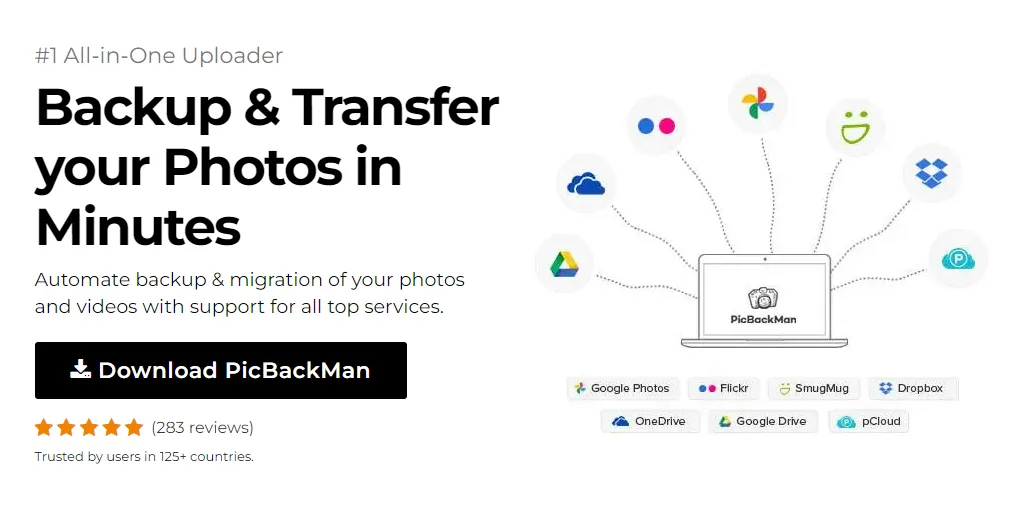
Simply download PicBackMan (it's free!) , register your account, connect to your online store and tell PicBackMan where your videos are - PicBackMan does the rest, automatically. It bulk uploads all videos and keeps looking for new ones and uploads those too. You don't have to ever touch it.
Conclusion
Finding the best iCloud alternative depends on your specific needs, budget, and the ecosystem you primarily use. Google Drive offers the best overall value and features for most users, with its generous free tier and excellent collaboration tools. Dropbox remains the king of reliability and simplicity, while OneDrive makes perfect sense for Windows users and Microsoft Office fans.
Before making your final decision, consider taking advantage of free tiers to test each service. This hands-on experience will help you determine which interface, features, and workflow best match your needs.
Remember that cloud storage isn't just about backing up files—it's about making your digital life more convenient and secure. The right choice will seamlessly integrate with your daily workflow while keeping your important data safe and accessible.
Frequently Asked Questions
Can I use multiple cloud storage services together?
Yes, many users employ a multi-cloud strategy. You might use Google Drive for collaboration, Dropbox for certain shared projects, and a privacy-focused service like Sync.com for sensitive documents. Tools like Otixo or MultCloud can help manage files across multiple services.
Will I lose quality when moving photos from iCloud to another service?
If you download your original photos from iCloud and then upload them to another service, you shouldn't lose quality. However, make sure to select “Download Originals” rather than “Optimize Storage” in your iCloud settings before downloading.
How do I transfer my contacts and calendars from iCloud?
For contacts, export them from iCloud.com as a vCard file, which can then be imported into Google Contacts or Outlook. For calendars, export them as .ics files from iCloud.com, then import them into your new calendar service.
Can I still use iCloud with my iPhone if I switch to another cloud storage provider?
Yes, you can continue using iCloud for basic iOS functionality like device backups and app data while using another service for document storage, photos, or other files. This hybrid approach works well for many users.
What happens to my purchases from iTunes and the App Store if I stop using iCloud?
Your purchases are tied to your Apple ID, not specifically to iCloud. You can reduce or even eliminate your iCloud storage while still maintaining access to all your purchased content through your Apple ID.
























